Does Rapid URL Indexer Improve On-Page SEO? What Fast Indexing Can and Cannot Do
On-page SEO is optimizing various website elements, such as content, meta tags, images, and internal links, to make it more attractive to search engines. It is crucial in improving website visibility and rankings, as search engines use these elements to understand and rank your content for relevant queries. Along with on-page optimization, URL indexing is equally important. URL indexing ensures that search engines can find and include your new pages in their results, speeding up online visibility. Tools like rapid URL indexers help ensure that newly published content is indexed quickly, making it appear in search results faster.
Key takeaways
- Faster indexing does not improve rankings directly; it only lets Google see and assess your page sooner.
- Rankings still depend on content quality, relevance, links and page experience.
- Rapid URL Indexer sells per-URL credits and refunds the ones not indexed within 14 days, but Google gives no guarantee and sanctions none of these services.
- Try the free routes first: Search Console's Request Indexing, a clean sitemap and internal links; most unindexed pages have a quality problem, not a discovery problem.
- Finish your on-page work before submitting, because Google judges the version it crawls.
Why Speedy Indexing Matters in SEO
The speed at which your content is indexed significantly affects how quickly users can find it. In SEO, timing is crucial—particularly for time-sensitive content such as blog posts, news articles, promotional sales, or product updates. For example, if you’re launching a product during a holiday sale, indexing that page quickly is key to driving traffic and conversions while the promotion is still relevant.
Rapid indexing ensures that users are shown the latest information for websites that frequently update content (like eCommerce or news sites). This improves user experience and helps maintain up-to-date rankings in search engines, keeping your content relevant and competitive.
On-Page SEO Optimization Factors
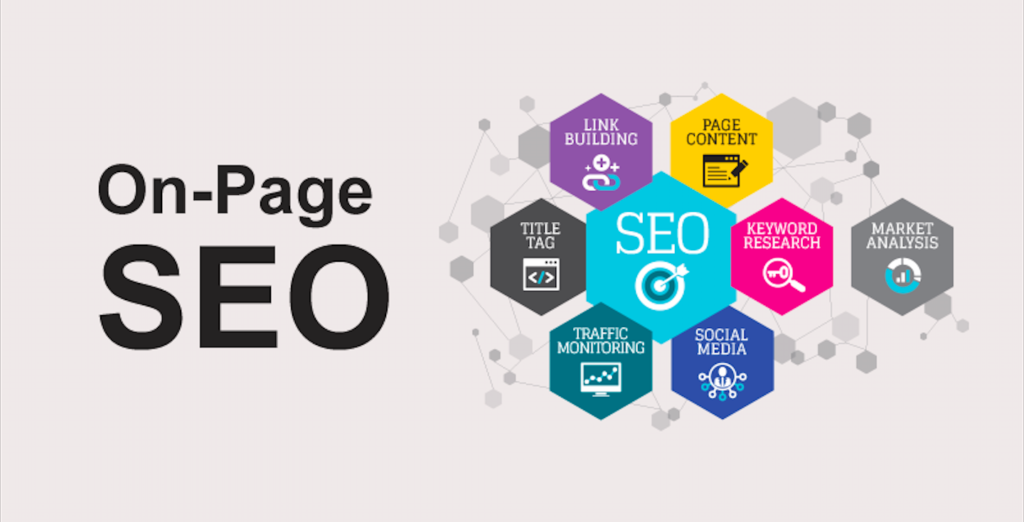
Core Elements of On-Page SEO
On-page SEO focuses on optimizing various elements within a webpage to improve its ranking potential in search engine results. Some of the core elements of on-page SEO include:
- Meta Tags: Meta tags, such as the title tag and meta description, are critical because they provide search engines with key information about the content on a page. A well-optimized title tag with relevant keywords can significantly improve your visibility, while a compelling meta description can increase click-through rates.
- Keyword Optimization: Keywords are the terms or phrases that users search for. Optimizing your content with relevant, researched keywords helps search engines understand what your page is about and match it to relevant queries. However, keyword stuffing should be avoided, and natural, user-friendly language should be prioritized.
- Internal Linking: Internal links connect one page of your website to another, improving user navigation and helping search engines crawl your site more efficiently. A solid internal linking strategy ensures that all important pages are easily accessible and that the authority of high-ranking pages can be passed on to other pages within your site.
- Mobile-Friendliness: Since more users now access the web via mobile phones, ensuring your website is mobile-friendly is essential. This includes having a responsive design, fast loading speeds, and a user-friendly layout for smartphones. Google indexes the mobile version of every page (mobile-first indexing is complete), so a page that does not work on a phone can struggle to be indexed at all, never mind rank.
How Indexing Fits Into On-Page SEO
Once you’ve optimized these on-page elements, it’s essential that search engines can find and index your pages quickly. This is where URL indexing comes in. Fast indexing ensures that your optimizations are recognized sooner, meaning search engines can quickly assess your content to determine your rankings. The sooner your pages are indexed, the sooner they can start competing for higher positions in search results.
For example, suppose you’ve updated a page to target a trending keyword. In that case, a rapid URL indexer can prompt search engines to recrawl the page sooner, so your changes can be assessed earlier. Without timely indexing, even well-optimized content might remain invisible to search engines for an extended period. Therefore, integrating tools like Rapid URL Indexer can help your SEO efforts pay off sooner by getting optimised pages crawled with less delay.
Does Rapid URL Indexer Improve On-Page SEO?
Yes, but indirectly.
The Connection Between Rapid URL Indexer and On-Page SEO
Rapid indexing speeds up the process of discovering your content by search engines, but it doesn’t necessarily guarantee an immediate boost in rankings. The key distinction here is that rapid indexing enhances visibility, allowing your content to appear in search results sooner, but it doesn’t directly influence how high your content ranks. Content quality, relevance to the query, links from other sites and page experience determine search engine rankings.
However, faster indexing can indirectly contribute to better rankings over time. For example, once your content is indexed quickly, it has a greater opportunity to start earning impressions, clicks and, with luck, backlinks. Essentially, a rapid URL indexer allows your SEO efforts to begin bearing fruit sooner by eliminating delays in the discovery phase.
Benefits of Using a Rapid URL Indexer
Using a rapid URL indexer can be highly beneficial in several scenarios, especially when managing high volumes of content or working with websites that require frequent updates. Here are some specific cases where rapid indexing can prove invaluable:
- Large Content Volumes: Websites that regularly publish blog posts, product updates, or news articles can benefit from rapid indexing by ensuring that each new piece of content is visible in search results as soon as possible. This is crucial for maintaining a competitive edge, especially in industries with high content output.
- eCommerce Websites: Rapid indexing ensures that potential customers can quickly discover new product listings, seasonal promotions, or sales pages for eCommerce businesses. Time-sensitive content, such as Black Friday sales or limited-time offers, must be indexed quickly to capture search traffic during peak shopping.
- Local businesses: An indexer only submits web pages, so it does nothing for your Google Business Profile, your reviews or your place on the map. Where it can help a local business is getting new area or service pages on your own site crawled sooner, for example a “car AC repair in Johar Town” page before the summer rush.
Best Practices for Using a Rapid URL Indexer for On-Page SEO
While rapid URL indexers can be powerful tools for getting your web pages indexed faster, it’s important to use them strategically. Here are some best practices to ensure you get the most out of a rapid URL indexer:
- Use as Part of a Broader SEO Strategy: A rapid URL indexer should complement, not replace, your broader SEO efforts. Ensure your site is optimized with proper sitemaps, keyword-rich content, and internal linking to maximize the impact of rapid indexing. Submitting an optimized page for rapid indexing will yield better results than a poorly structured one.
- Submit High-Quality Content: Ensure that the content you’re indexing adds value to users. Search engines favor high-quality, relevant content, so always focus on creating pages that provide useful information. Rapid indexing can quickly bring your content to search results, but content relevance remains key to long-term rankings.
- Monitor Performance: Regularly check your pages’ indexing and ranking performance after using a rapid URL indexer. Tools like Google Search Console can help track how quickly your content is indexed and its visibility in search results. Adjust your strategy if necessary.
- Avoid Over-Reliance: Although rapid URL indexers can accelerate the process, relying too heavily on them can be counterproductive. Focus on maintaining strong technical SEO standards (e.g., site speed, mobile-friendliness, and crawlability), ensuring that search engines naturally discover and rank your content efficiently over time.
Pitfalls to Avoid

- Excessive use of indexing tools: There is no Google penalty for requesting indexing, but submitting every small edit wastes credits and tells you nothing. Google recrawls important pages on its own; save submissions for new pages and substantial updates.
- Neglecting Site Structure: Rapid URL indexers are not a replacement for good site architecture. Rapid indexing will not save your website from ranking poorly if its structure is disorganised and lacks proper internal linking. Focus on building a strong, well-organized site that’s easy for users and search engines to navigate.
- Ignoring Content Quality: Fast indexing won’t fix low-quality content. Search engines prioritize well-written, relevant, and valuable content. Therefore, even if your content is indexed quickly, it may not perform well in rankings without good quality.
How Rapid URL Indexer Works and What Google Says
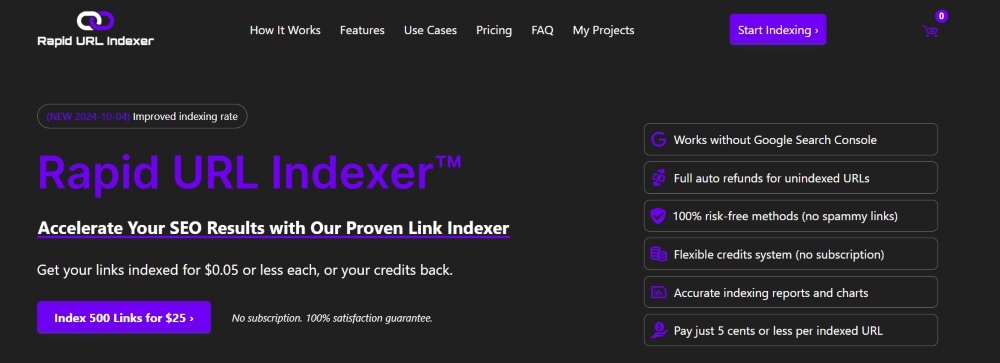
Rapid URL Indexer is a paid service. As of October 2026 it works like this:
- You buy credits and spend one per URL you submit; prices are in US dollars, so check the current rate on its site and convert to PKR before you budget.
- It does not need access to your Google Search Console. It sends your URLs through its own “signals” that encourage Googlebot to crawl them; the company does not publish exactly what those are.
- It reports which URLs were indexed over the following days and refunds the credits for any URL not indexed within 14 days. The company advertises an average indexing rate of around 90%, which is its own figure, not an independent one.
What Google says matters more than what the vendor says. Google's Indexing API is officially only for pages with JobPosting or BroadcastEvent (live-stream) markup, and Google has acted against services that misuse it, so a reputable indexer should not depend on it. Google also states plainly that submitting a URL does not guarantee indexing or ranking. In practice, an indexer can shorten the wait for a decent page that Google simply had not got to yet; it cannot make Google keep a page it considers thin, duplicate or spammy, which is why the refund policy exists.
Free Ways to Get Pages Indexed, Compared
Before paying for anything, use the methods Google actually supports. Most Pakistani small-business sites never need more than these.
| Method | Cost | Works for | Limits |
|---|---|---|---|
| Search Console URL Inspection, then Request Indexing | Free | Small daily quota per property; one URL at a time; no guarantee | |
| XML sitemap submitted in Search Console | Free | Google and Bing | Tells crawlers what exists; a fresh lastmod date helps, but it is a hint, not a command |
| Internal links from pages Google already crawls | Free | All search engines | The most reliable method; a page with no internal links is often never crawled |
| IndexNow | Free | Bing, Yandex, Naver, Seznam (not Google) | Instant notification; plugins exist for WordPress; useless for Google traffic |
| Paid indexers such as Rapid URL Indexer | Per URL | Unofficial; can speed up discovery, cannot force indexing; credits refunded if it fails |
Why pages stay unindexed
Open Search Console's Page indexing report before blaming speed. Two statuses explain most cases:
- Discovered - currently not indexed: Google knows the URL but has not crawled it. Usually a crawl-priority problem on a large or slow site: add internal links from strong pages and check the server is fast and not returning errors.
- Crawled - currently not indexed: Google fetched the page and chose not to keep it. That is a quality verdict: thin content, near-duplicate pages (tag archives, filtered product lists, city pages that only swap the city name) or content Google already has elsewhere. No indexer fixes this; improve or remove the page.
You can check any URL's status without logging in using our free Google index checker. A fair rule for a site in Pakistan: if you publish a few pages a month and they get indexed within a couple of weeks via Search Console, you do not need a paid indexer. It earns its keep on large sites, news and classified listings, or time-limited sale pages where a week's delay costs money.
On-Page Checklist Before You Submit a URL for Indexing
Google judges the version of the page it crawls. If you submit a half-finished page, that is what gets assessed. Run through this list first:
- Indexable: no noindex tag, not blocked in robots.txt, and returns a 200 status code.
- Canonical: the canonical tag points to the page itself, not to another URL.
- Title and meta description: the title leads with the main keyword and the description gives a clear reason to click.
- One clear H1 and logical H2s that match what searchers want to know.
- Content that answers the query better than the pages already ranking, with no thin or copied sections.
- Internal links from at least one or two relevant existing pages, so Google can also find it naturally.
- Images compressed and with descriptive alt text.
- Mobile check: the page loads quickly and reads well on a phone. Core Web Vitals now measure responsiveness with INP, not FID.
- Listed in your XML sitemap.
Once these are in place, submit the URL once, then confirm its status in the URL Inspection tool a few days later.
Final Thoughts
Rapid URL Indexer can be valuable in your SEO toolkit, particularly when speed is critical for getting new or updated content noticed by search engines. It can get pages crawled sooner, which helps with time-sensitive content like promotions or product updates, though Google still decides what it keeps. However, relying solely on rapid indexing without maintaining high-quality content, proper site structure, and other on-page SEO factors may limit its effectiveness. Rapid indexing should complement a solid on-page SEO strategy for long-term success, ensuring your website remains optimized and competitive.
Frequently asked questions
Does requesting indexing help rankings?
Not directly. Requesting indexing, in Search Console or through a third-party tool, only asks Google to crawl a URL. Once crawled, the page is ranked on the same signals as any other page. The benefit is timing: a strong page can start earning impressions, clicks and links sooner instead of waiting for Google to find it.
Is Rapid URL Indexer safe to use, or against Google's guidelines?
There is no Google penalty for asking Google to crawl a page, and Rapid URL Indexer does not need access to your Search Console. The risk is different: Google does not endorse any third-party indexer, its Indexing API is officially only for job posting and live-stream pages, and submissions can simply be ignored. Use it for pages you own, not to force spam or purchased backlinks into the index, and expect no guarantee.
Should I resubmit a page after updating it?
Only for meaningful changes, such as a rewritten section, a new title targeting a different query, or corrected facts. Google recrawls important pages on its own, so small edits like a typo fix do not need a submission. For big updates, request indexing once in Search Console and then give Google time.
How long does Google take to index a new page?
It varies from a few hours to several weeks. Well-linked pages on sites Google crawls often tend to be indexed faster. New sites, pages with no internal links and low-value content usually wait longer. Submitting the URL can shorten discovery, but Google still decides when, and whether, to index it.